



Reverse Face Search





I can't believe it, there's literally an account out there just stealing my stuff. That's so messed up! - St**n C.
Fuck, that asshole actually leaked our photos online. I'm so pissed, but at least I found this tool to track them down. - Ma**e R.
I searched for myself and my family, and honestly, it was gut-wrenching to see how our privacy is just being spread everywhere. - Fa**y T.
I never thought my photos would be leaked to so many places. This tool really opened my eyes. - Pr**y M.
I searched for myself and my family, and honestly, it was gut-wrenching to see how our privacy is just being spread everywhere. - Fa**y T.
Tinder is full of scammers! Thank god this tool helped me catch that person who's been stealing photos left and right. - Sa**e D.
I honestly ran the search just to be safe. Finding my photos already out there was not what I expected. - Rae K.***.
Tinder is full of scammers! Thank god this tool helped me catch that person who's been stealing photos left and right. - Sa**e D.
Fuck, that asshole actually leaked our photos online. I'm so pissed, but at least I found this tool to track them down. - Ma**e R.
I searched for myself and my family, and honestly, it was gut-wrenching to see how our privacy is just being spread everywhere. - Fa**y T.
Tinder is full of scammers! Thank god this tool helped me catch that person who's been stealing photos left and right. - Sa**e D.
I can't believe it, there's literally an account out there just stealing my stuff. That's so messed up! - St**n C.
I never thought my photos would be leaked to so many places. This tool really opened my eyes. - Pr**y M.
I honestly ran the search just to be safe. Finding my photos already out there was not what I expected. - Rae K.***.
Fuck, that asshole actually leaked our photos online. I'm so pissed, but at least I found this tool to track them down. - Ma**e R.
How to Run a Reverse Face Search on Erasa
 1Upload a face photoUpload a face photoAdd a selfie or a clear face image — from Instagram, X, TikTok, OnlyFans, or your camera roll. Erasa extracts a facial signature that recognizes your face across edits, filters, and platforms.
 2Review instant face matchesReview instant face matchesSee where the same face — or AI-edited, cropped, filtered, or lookalike versions — appears online. Spot impersonators, misleading profiles, and accounts pretending to be you.
 3Create an account to unlock full resultsCreate an account to unlock full resultsSign up to view your full match list, platform-by-platform breakdown, and detailed insights on where your face is being reused or misrepresented.

What Is Reverse Face Search?
A reverse face search shows where your face appears online — including versions you didn’t know existed. Instead of searching by keywords or photos, you upload a face image and the system finds matches, lookalikes, and AI-modified copies across public platforms. It helps creators, influencers, and everyday users detect impersonators and unauthorized accounts, and understand how their face is being reused online.
How Our Reverse Face Search Works

Analyze your facial signature for exact and AI-altered matches
Erasa converts your photo into a secure facial signature and compares it against publicly available content online. It detects exact matches, lookalikes, and AI-modified versions — including face swaps, filtered edits, and cropped facial regions that still resemble you.
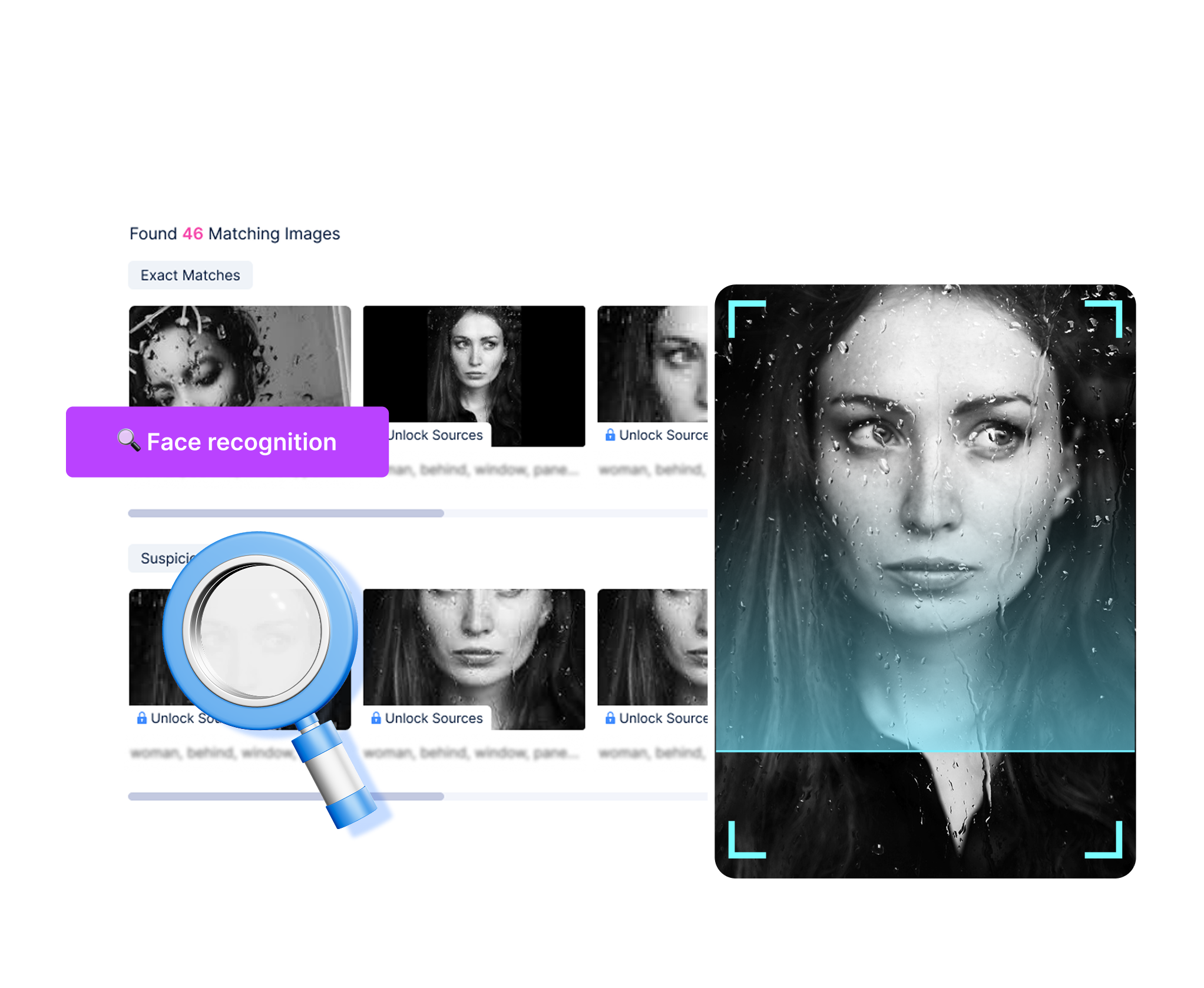

Detect where your face appears across platforms and communities
Erasa scans publicly visible content on Instagram, X, TikTok, Reddit, OnlyFans, Telegram, and creator-focused forums. You see where your face appears, how it’s being reused, and whether it shows up on platforms you don’t actively use.


Highlight suspicious or unauthorized usage
The system flags profiles that may be impersonating you, reusing your face without permission, or attaching your likeness to unrelated accounts. Erasa helps you understand where your face is being used online — so you can take the next step with clarity.

Identify lookalikes and face patterns that could misrepresent you
Erasa analyzes facial similarity across the open web to find accounts using faces that resemble yours. It reveals catfishing attempts, misleading personas, and profiles borrowing your appearance to gain trust or credibility.
Why You Need This Reverse Face Search

Stop people from using your face to pose as you
Your face is easier to steal than your username. Your face is easier to steal than your username. Reverse face search uncovers accounts using your selfies, avatars, or likeness to build a fake identity — even on platforms you’ve never joined.

Find every publicly visible profile using the same face
If you have a face photo and want to trace where else that face appears, reverse face search shows matching profiles and public accounts using it. No private data or personal identification involved — just publicly visible results.

Uncover hidden accounts built around your face
Some impersonators repost your photos to gain clout, subscribers, or trust. See which platforms, posts, and communities are reusing your face to mislead or impersonate you.

Verify whether someone’s online identity is real
Whether you’re a creator checking collaboration requests or a user confirming if someone is genuine, reverse face search shows if the same face appears on multiple suspicious accounts or unrelated identities.
How This Tool Helps in Real-World

Private Photo Protection
Use our face recognition search engine to check where your face appears online and identify unauthorized use of personal photos that may impact your privacy.
Check Now →
Revenge Porn Removal
Worried your face may appear on revenge porn websites? Face recognition search helps locate where your face is used and supports removal requests.
Check Now →
AI Image Abuse Detection
AI-generated images can misuse real faces. Use a face recognition search engine to detect AI image abuse and take action to protect your identity.
Check Now →Explore More — Choose Your Reverse Search Tool
Different searches for different types of online identity checks.
 Face SearchReverse Face SearchSee where your face appears online — including lookalikes, AI-edited versions, and accounts reusing your likeness.Explore Now →
 Photo SearchReverse Photo SearchFind where your image appears online — including edited, cropped, filtered, or screenshot versions.Explore Now →
- Username SearchReverse Username SearchFind every account connected to a username across social platforms. Spot impersonators, duplicates, and misleading profiles.Explore Now →
 Video SearchReverse Video SearchCheck where your clips are re-uploaded, edited, screen-recorded, or reused across platforms and communities.Explore Now →
Why Erasa Is Better for Reverse Face Search

Purpose-built for facial similarity — not generic image matching
Traditional reverse image tools only detect identical pictures. Erasa focuses on facial similarity, catching exact matches, lookalikes, and AI-modified versions — even when your photo is cropped or filtered.

Optimized for platforms where face misuse actually happens
Erasa prioritizes creator-heavy platforms like Instagram, X, TikTok, Reddit, OnlyFans, and Telegram — where impersonation and stolen selfies are most common. You see where your face appears, not just where an image is indexed.

Clear, direct links to where your face appears
Erasa doesn’t just show similar faces — it provides a clean list of matches and the exact webpages where your likeness was found. You instantly see which platforms, profiles, or posts are using your face.

Privacy-safe, detection-only scanning
Erasa analyzes only publicly visible content. No private accounts, locked channels, or restricted areas are accessed — ensuring safe, ethical, and responsible reverse face search.
Learn More
Pineyes face search alternative:Is there a site better than PimEyes?
January 16, 2026
Nude Selfie Leaked? What to Do (And How to Get It Removed)
December 29, 2025
Reverse Image Search Porn — See Where Your Photos Are Used
December 8, 2025
Why Reverse Image Search Won’t Find Your Face
November 28, 2025
How to Identify Adult Film Stars Using Reverse Image Search
July 15, 2025
Best Pornstar Identifier Tools to Find Adult Stars by Photo
July 6, 2025
Frequently Asked Questions
A reverse face search lets you upload a face photo to see where the same or similar face appears online — including lookalikes, reposts, and AI-edited versions.
A face reverse image search analyzes facial structure and compares it with publicly visible content across the web, detecting exact matches, partial matches, and AI-modified faces.
You may uncover:
- Profiles reusing your face
- AI-edited or face-swapped versions
- Lookalike accounts
- Public posts featuring your selfies
It shows where your face appears across platforms.
It can show public profiles using the same face photo (Instagram, X, TikTok, Reddit, OnlyFans previews, Telegram public channels).
It cannot reveal private accounts or personal identity information.
No. A reverse face ID search cannot identify real people.
Erasa only shows public face matches, not personal data or identity records.
Yes. Erasa’s AI reverse face search can detect face-swapped edits, filters, retouched versions, and AI-generated variations that retain core facial features.
Yes. Reverse face search can reveal profiles using your photos to pretend to be you, attract followers, or create misleading personas.
It supports publicly accessible content from platforms including Instagram, X, TikTok, Reddit, Telegram channels, and OnlyFans previews — but not private or subscriber-only areas.
Google Images is not built for face recognition reverse search and rarely detects facial similarity or AI edits.
A dedicated reverse face search engine like Erasa provides much more accurate results.
Ready to See Where Your Face Appears Online?
Find where your face shows up, spot impersonators early, and stay ahead of any unwanted reuse.
Fuck, that asshole actually leaked our photos online. I'm so pissed, but at least I found this tool to track them down. - Ma**e R.